Browsing "Older Posts"

Browsing Category "APEX 5"

Working with the APEX tree

Von Tobias Arnhold → 6.27.2018
Out of a coincidence I haven't used the APEX tree region for years. Now I got the task to create a customizable tree in my application. Since APEX 5 there is a new tree type called "APEX tree" which supports some really cool functions.

Anyway I had to look around to find out what the APEX tree is actually capable of. First of all start with the APEX "Sample Trees" application which you find in the packaged application area.


Morten Braten took that example and described the features really well:
https://ora-00001.blogspot.com/2016/01/working-with-the-apex-5-treeview.html

John Snyders from the APEX team also created 2 blogposts about the "APEX tree":
APEX 5.0 Converting to the new APEX Tree
Add Checkbox Selection to APEX Tree Region

And as he mentioned there is a Javascript library behind it "libraries/apex/widget.treeView.js." which is documented since APEX 18.1 or at least I think it is. Anyway here is a link which I also have to further investigate:
JS Doc: Widget: treeView

German users can read this document provided by MT AG:
http://files.xmasman.de/20160216_MeetupNRW_TillAlbert_WiePflanzeIchEinenBaumApex.pdf

After the party is before the party

Von Tobias Arnhold → 10.20.2017
Now two months after the #pougtrip everything went back to normal. Except the planning for the next events.

The DOAG #NextGEN is currently starting a "roadshow" at German universities.

Start is the 07.11.2017 at the Trier University of Applied Sciences. We will have 3 presentations covering different technologies: SQL, JS, JSON, SVG, PL/SQL, REST and APEX.
But see for yourself: Oracle Vorträge an der Hochschule Trier


As you can see the agenda is made with APEX :). Inspired by the #pougtrip we plan free beer for all students!

This is our first test run to find out what it takes to get as much students as possible to listen to Oracle related technologies.

From my perspective the question is: What can an Oracle expert contribute to young professionals?

For example: handling real life problems and sharing the experience while using modern technologies. But I think most important is devotion.
You get inspired by an expert mostly depending on how dedicated this person is delivering the information. This event gives us the chance to inspire young professionals to see Oracle in a new light. See the possibilities and feel the devotion by the people who are working with the technology.

BTW: This event wouldn't be possible without two dedicated students. Thanks Rebecca and Abby!

#orclapex Europe tour

Von Tobias Arnhold → 8.16.2017
From Tuesday, the 29. of August until the 02. September, I will meet the best experts around Oracle.


But first some background:
Last year I was in Sweden and held a presentation at a meetup in Stockholm about APEX. I met Mathias Magnusson an Oracle specialist who is organizing all kinds of Oracle usergroup events in Sweden. I was lucky to meet him again at DOAG 2017 and introduced him to Joel Kallman. During the discussion came the idea to make an APEX day in Sweden. Mathias prepared everything and invited some well-known experts who may join the party as speakers. In the email, he also was asking Heli Helskyaho. She is one of the world most known speaker about Oracle related technology at the moment.
She liked the idea to join in and asked if we could combine it. One event in Helsinki (Finland) and one in Stockholm (Sweden). And that is not all. Mathias put the date of the event shortly before the POUG in Poland. Conclusion: My Oracle #orclapex Europe tour was set up.
Out of my perspective the Nordic APEX days should look like this: 
We need to show the people what APEX can do and how it is used in production. If an Oracle employee or a consultant is talking about how great the tool is then maybe not everyone will believe it. So, I asked the experts from Deutsche Bahn (SmallSolutions-Team) to join the party and they did!

So, this is what happens now:
    1. Monday I will fly to Helsinki with Richard from Deutsche Bahn. Last preparations with Matthias and Richard (SmallSolutions-Team) for the event.
    1. Having the Oracle/Miracle APEX-Day in Helsinki (Finland): Oracle / Miracle APEX - Day
      1. Including nice talks with Heli, Carsten, Shakeeb and hopefully a lot of APEX interested end users.
    1. After the day we will take the cruiser ship over night to Stockholm including some drinks and talks and "Finnish Tango".
    1. Having the SWEOUG APEX day in Stockholm (Sweden): #SweougApex17
      1. Including nice talks with Patrick, Mathias and hopefully a lot of APEX interested end users. Hopefully a couple of beers in the evening.
    1. Next morning take the plain to Berlin and preparing with Matthias (Small Solutions-Team) for POUG
    1. Meet the students at Berlin main station and take the rented bus to POUG in Kraków.
    1. Getting to know the student group including some activities during the bus trip.
    1. Hotel check-in and dinner with the students
    1. POUG conference starts: #POUG17
      1. Including to meet the best Oracle database experts and get the students to meet them and drink a few beers with Kamil.
    1. POUG Party
    1. POUG conference second day
    1. Evening dinner and taking the bus home
Let me say it in short words:
3 conferences, holding 3 presentations, meeting lots of experts and meeting even more new faces!

In case you are curios and want to get to know the flair from the conferences then follow me at Twitter: @tobias_arnhold / #APEXgoesEurope / #pougtrip / #SewougApex17 / #orclapex

I will write as I have never written before. :)

JET pie chart in APEX with absolute numbers as data labels

Von Tobias Arnhold → 5.02.2017
The new APEX pie charts only allows percent values as data labels. Luckily the APEX team added an great example in the "Sample Chart" application which shows how to add custom data labels including absolute values by adding custom JavaScript code.

For German applications I prefer to display 10k (10000) like this: 10.000.
Thanks to APEX and JET it is easy to implement.

function( options ){
    this.donutSliceLabel = function( dataContext ){
        var value_ger;
       
        value_ger = dataContext.value.toLocaleString('de-DE', {
                      minimumFractionDigits: 0
                    });
       
        return value_ger;
    } 
    options.dataLabel = donutSliceLabel;
    return options;
}


Info: Technical updates in the JavaScript area are not supported by APEX updates. For example: A future JET version could have some engine changes which will not accept my JS example anymore.


Interactive Report Download Button only for a certain Authorization Role

Von Tobias Arnhold → 4.27.2017
The Interactive Report has this great download feature where you can export everything you can see.
Anyway there are circumstances where the customer doesn't want that feature open for everyone.

In APEX you can only choose if you want the download button or not.
Even so APEX can't do it out of the box. There is a way to make your application able to do it.

Since APEX 5 you can't download when the "Download" is disabled. If you try an almost empty page occurs. Ok that means the "Download" functionality must be activated an I have to disable it manually.

You need to focus on three steps:
 1. Add an authorization scheme.
 2. Hide the download button in the front end. (Visualization)
 3. Disable the download functionality in the back end. (Security)

1. Add an authorization scheme
The authorization scheme will handle the rights that only the correct person is allowed to download from the Interactive Report.
I my case I call it "ROLE_DOWNLOAD" and it works like that:
Type: PL/SQL Function Returning Boolean 
Function Body: return security_pkg.has_role(:APP_USER,'ROLE_DOWNLOAD');
Validate: Once per session

2. Hide the download button
Add a static report id


Add a new "Dynamic Action" on "Click".
jQuery Selector: #STATIC_REPORT_ID_actions_button
Event Scope: Dynamic
Security > Authorization: {Not ROLE_DOWNLOAD}


Add some Javascript to remove the button:
$('#STATIC_REPORT_ID_actions_menu .icon-irr-download').parent().parent().parent().remove();

3. Disable the download functionality
When APEX is exporting something from an "Interactive Report" itjust does a simple redirect on the same page and adds a REQUEST for the specific download type. In my case it is the request "CSV" I want to block.

Add a "Branch" executed "Before Header":


And to disable the download I just redirect on the same page without any request. The trick is to add the right PL/SQL Condition. In this example check for the request and the authorization scheme.

Code:
:REQUEST = 'CSV' and APEX_UTIL.PUBLIC_CHECK_AUTHORIZATION('ROLE_DOWNLOAD') = false

 
In my mind this is simple and secure and shows how flexible APEX really is.

An introduction into the APEX 5.1 Layout View

Von Tobias Arnhold → 4.04.2017
Many of you are still using the old "Component View" but the "Page Designer" introduced in APEX 5 made the developer life much easier.

The top 5 most time saving abilities for me are:
 1. Easy access on all page elements (without any page refresh)
 2. Copy&Paste of items, regions, dynamic actions, ... 
 3. Drag&Drop moving of items and regions
 4. Multi edit of items
 5. Since APEX 5.1: The ability to customize your own personal Page Designer View

The functionality "Layout" introduced in APEX 5 was not in my focus and as I remember I had some issues with it. So I just ignored it.

In APEX 5.1 I started a rerun on it using the "Universal Theme" and I must say it is a real help when you create a complex form page with a lot of page items. It feels different in APEX 5.1 and works almost flawless.

To get in touch with it I prepared a little example for you to help understanding the feature and may get inspired to use it, too.
We start with a page including 16 page items which should be visualized on 3 rows. Some of them are conditional and they are from different types (Text Field, Radio Group, Select List, Textarea).

All items are now displayed one below the other.


What do I aim for in the first step?
1. All items should have the label set to be "above". (Do not use the region template option for that)
2. I want to edit 8 page items split on two rows
3. Items 1-3 per row should be displayed over 2 columns
4. Item size must be adjusted


In between I made a Dynamic Action to make the "detail group" item conditional based on "Organization" if it is null or not.

I did the same for the category selector but I needed some Javascript code to make it right.


Code:
apex.item( "P9_CAT1_NAME_A" ).hide();
apex.item( "P9_CAT1_NAME_B" ).hide();
apex.item( "P9_CAT2_NAME" ).hide();
apex.item( "P9_CAT3_NAME" ).hide();
apex.item( "P9_CAT4_NAME_V1" ).hide(); 
apex.item( "P9_CAT4_NAME_V2" ).hide(); 
apex.item( "P9_CAT4_NAME_V3" ).hide();    

if ( $v("P9_CATEGORY_SELECTOR") == '1' ) {
    apex.item( "P9_CAT1_NAME_A" ).show();
    apex.item( "P9_CAT1_NAME_B" ).show();     
}
if ( $v("P9_CATEGORY_SELECTOR") == '2' ) {
    apex.item( "P9_CAT2_NAME" ).show();  
}

if ( $v("P9_CATEGORY_SELECTOR") == '3' ) {
    apex.item( "P9_CAT3_NAME" ).show();  
}
if ( $v("P9_CATEGORY_SELECTOR") == '4' ) {
    apex.item( "P9_CAT4_NAME_V1" ).show();
    apex.item( "P9_CAT4_NAME_V2" ).show();   
    apex.item( "P9_CAT4_NAME_V3" ).show();       
}

In my final move I finished the page by adjusting the other items.


The page looked like that:


But as always it could be a little bit better and luckily I used APEX. I just had to make a little change on it:

That's it. Hope you will give the "Layout"-View a chance to proof itself. :)


Info:
In case your Page Designer mentions problems in applying some multi update settings. Just refresh the page and try again.

Customize your Interactive Report with CSS

Von Tobias Arnhold → 3.28.2017
A lot of you are using jQuery to customize visual parts of an APEX application. I probably to often do so myself but there is a much more elegant way:   CSS

Nowadays you are able to add different kind of rules into your CSS styles. In this example I will show you how to get into the topic by changing an Interactive Report (IR). In my example I want to change the typical group by visualization.


Before


After


First of all you need to give your IR a unique name or class to identify it properly.
IR > Appearance > CSS Classes: irCustomStyles


Now you need to add the customized CSS code in your page:
Page > CSS > Inline

.irCustomStyles .a-IRR-table td {
    border-top: 0 solid #ffffff !important;
}

.irCustomStyles table.a-IRR-table th:first-child.a-IRR-header:not(.a-IRR-header--group) {
  background-color: white !important;
}

.irCustomStyles table.a-IRR-table tr:has( .a-IRR-header ) {
    border-bottom: medium none white !important;
    border-top: medium none white !important;
}

1. Rule: Takes the border from the TD elements away. Standard CSS probably most of you have done like this before. 
2. Rule: This one changes only the first TH element and when they are not referenced with class ".a-IRR-header--group"
3. Rule: The "has"-clause only applies if the result is true. In this case if a class called "a-IRR-header" exists.

Fore more details check those sources:
:not(s) - By Sara Cope
Selecting Parent Elements with CSS and jQuery - by Thoriq Firdaus

Run dynamic action from report row and pass multiple variables

Von Tobias Arnhold → 2.23.2017
Execute a "Dynamic Action" by clicking on a button/link inside a report row is mostly handled by some triggering HTML class.


It actually works in 95% of all cases. But it is not the best way to do it. It is much more effective to execute the "Dynamic Action" with a custom event.

Reason is simple: You don't need to allocate unnecessary elements via a class by jQuery. You execute the "Dynamic Action" in the moment when it is needed. Like calling explicitly a Javascript function.
This matters if you show maybe 500 rows or more on a single page or you handle several dynamic actions in one report.

Running a dynamic action from inside a report is actually an old hat because there are a few guys which have been written about it. Anyway I'm still searching for it every time I need it and some of the code pieces are not up to date anymore. So I will show you the way I handle it today and probably tomorrow, too. :)

First I must thank Jeff Eberhard for his examples about this topic. He really inspired me using the technique in one of my projects where I had to suffer with many rows inside a report.

Blog posts (www.eberapp.com/ords/f?p=BLOG):
Run Dynamic Action from JavaScript
Execute Dynamic Action From Report Column Link
Pass Multiple Values from Report to Dynamic Action

I prefer this way:

1. Set up a "Dynamic Action":
Custom Event: setIemsFromReport
Selection Type: Javascript Expression
Javascript Expression: document


1.1 Now add some action from type: "Execute Javascript Code"
In my example I set up three APEX items with data from my report row.

Code:
apex.item( "P1_DEVICE" ).setValue( this.data.device_name );
apex.item( "P1_IP" ).setValue( this.data.ip );
apex.item( "P1_KOST" ).setValue( this.data.kost );


Info:
As you see the parameters are forwarded with specific variable names. The example came from Matt Nolan. I prefer it mostly because it is exact and it makes it easier to understand (maintainability).

1.2 To get the values into your APEX database session you add one more action from type: "Execute PL/SQL Code":


2. Report column
Inside my report I define a link column which looks like that:

Type:
Link

Target:
javascript:apex.event.trigger(document, 'setIemsFromReport', [{device_name:'#NAME#', ip:'#IP#', kost:'#KOST#'}]);void(0);

Info
apex.event.trigger executes the "Dynamic Action". 
[{...}] defines the variables to forward.
void(0) prevents the browser to do further actions.

Link Text:
<span class="fa fa-edit"></span> 

Link Attributes (not required):
style="font-size:16px;color:#ICON_COLOR#;display:#ICON_DISPLAY#"

Info:
By using some columns with case when clause I'm able to add some custom attributes like hide/show. Example:
  case
    when SUBSTR(DEVICE,1,1) = 'T'
    then 'inline-block'
    else 'none' 
  end as ICON_DISPLAY


That is all you need to hand over attributes from your report row towards one or more APEX items on your page.

Using APEX_ERROR to manage custom error messages

Von Tobias Arnhold → 1.18.2017
Sometimes you just feel like you would be a newbie in coding business applications. Luckily it doesn't happen so often anymore. But this time it hit me hard. :)

During an application upgrade on Universal Theme I discovered an ugly workaround to create custom error messages I used in that time.

The old code looked like that:
declare 
  retval number;
  p_cust_id number;
  p_status varchar2(30);
  p_upduser varchar2(10);

begin 
  p_cust_id := :p1_cust_id;
  p_status  := 0;
  p_upduser := :app_user;

  retval := cust_apex_pkg.cust_apex_fnc ( p_cust_id, p_status, p_upduser );

  if retval = 1 then
    apex_application.g_print_success_message := '<span style="color: green;">Order was successfully published.</span>';
  elsif retval = 2 then
    apex_application.g_print_success_message := '<span style="color: red;">Error: Custom error 1 occurred.</span>';  
  elsif retval = 3 then
    apex_application.g_print_success_message := '<span style="color: red;">Error: Custom error 2 occurred.</span>';  
  else
    apex_application.g_print_success_message := '<span style="color: red;">Error: Unknown error occurred.</span>';  
  end if;
  commit; 
end;
As you can see I used the apex_application.g_print_success_message to overwrite the text color. Quite ugly but it worked as expected.
Anyway on Universal Theme it looked not so nice anymore because a "success message" has always a green background color. Putting some red text color above is not the user experience I would prefer.


I searched for about 3 minutes and found a really good article from Jorge Rimblas writing about the APEX_ERROR package. The blog post is from 2013 so this procedure must be available for a while now. What made me feeling like a jerk. The good side is that I now can start again to climb up on the iron throne. :)

The updated code looked like that:

declare 
  retval number;
  p_cust_id number;
  p_status varchar2(30);
  p_upduser varchar2(10);

begin 
  p_cust_id := :p1_cust_id;
  p_status  := 0;
  p_upduser := :app_user;

  retval := cust_apex_pkg.cust_apex_fnc ( p_cust_id, p_status, p_upduser );

  if retval = 1 then
    apex_application.g_print_success_message := 'Order was successfully published.';
  elsif retval = 2 then
    apex_error.add_error(
      p_message => 'Error: Custom error 1 occurred.'
    , p_display_location => apex_error.c_inline_in_notification
    );
  elsif retval = 3 then
    apex_error.add_error(
      p_message => 'Error: Custom error 2 occurred.'
    , p_display_location => apex_error.c_inline_in_notification
    );
  else
    apex_error.add_error(
      p_message => 'Error: Unknown error occurred.'
    , p_display_location => apex_error.c_inline_in_notification
    );
  end if;

  commit; 
end;

Thanks Jorges by blogging and sharing your knowledge.

SVG in APEX: Best Practices

Von Tobias Arnhold → 12.21.2016
In the last 8 month I was working on a new version of my SVG (Raphaël) example application. Of course I have a job (freelancer) and I have children. So the time to spend was diminished on only a few hours per week mostly on my way to work.
Some of the results were presented at the Swedish Oracle meetup in Summer '16. But the final application was made for DOAG 2016.

What leads me to an important point. To have the honor to present somewhere means for me also a passion to learn something new, create something new and share it with others to become a better developer. You may think 8 month of free time spend for a simple presentation is stupid but now I'm able to propose new business solutions to my customers which I didn't even thought were so easy to achieve.

And this is not all. One month before DOAG I was talking to a colleague "Sebastian Reinig" from another consulting company (Syntegris). A young men still studying for master grade and with a lot of passion towards Oracle APEX. He explained me that he worked on an APEX project using my former SVG solution from back in '14 and he enhanced my code by adding cool new features. (e.g. drag and drop in the harbor).
I mean those features were fitting perfectly in my example application. So I asked him to join my presentation at DOAG and show others what he was doing. An he did it. He added a new variant of my old example and helped me finishing the application.

That is why we should be presenting somewhere:
To become better by doing something new.
To become better by sharing your ideas with others and even get inspired by their ideas.

The result of this passion is the "SVG in APEX" application.


Download: github.com/tobiasarnhold/svg-in-apex
Example application URL: apex.oracle.com/pls/apex/f?p=SVG_IN_APEX
User: demo
Password: demo

Examples:

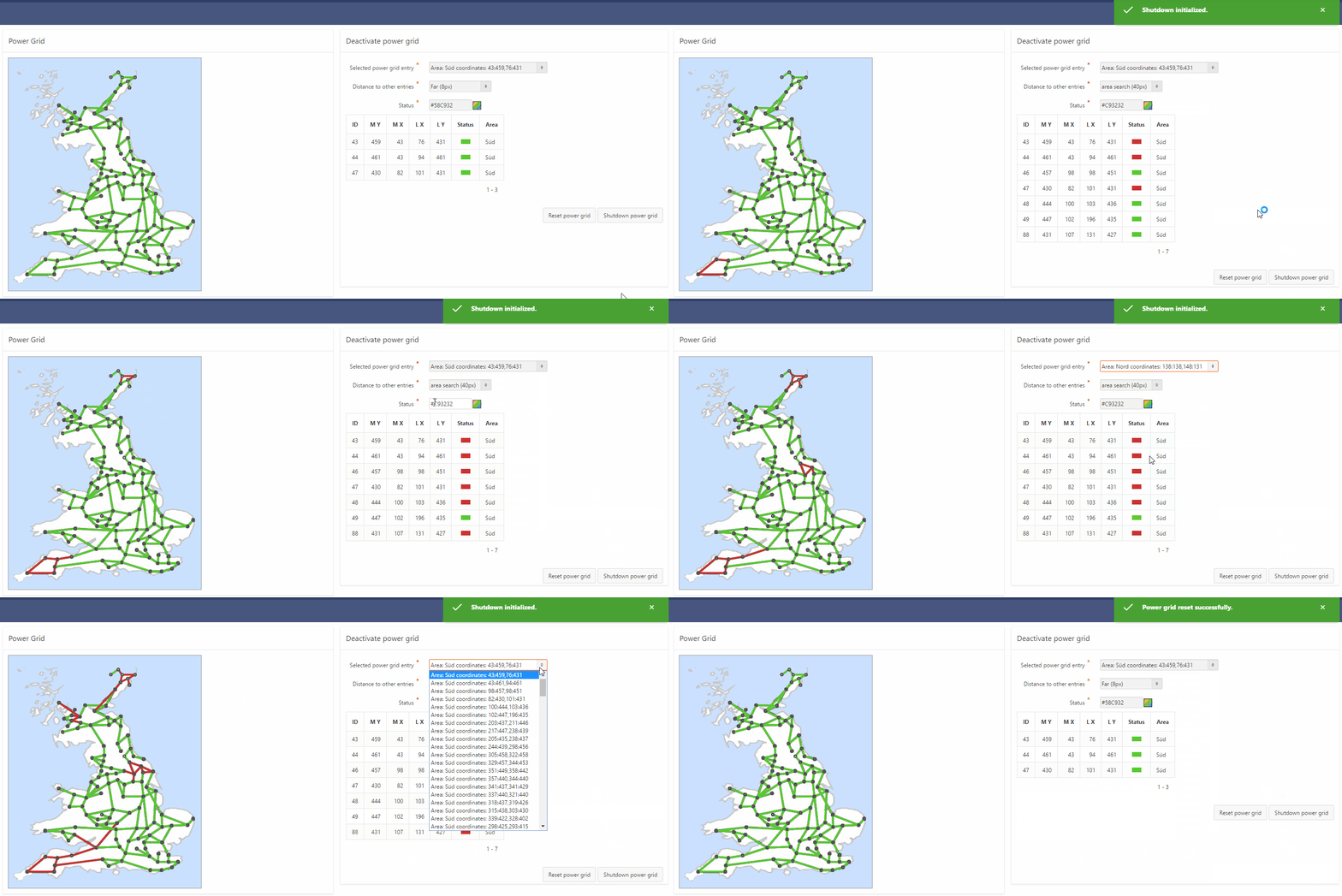
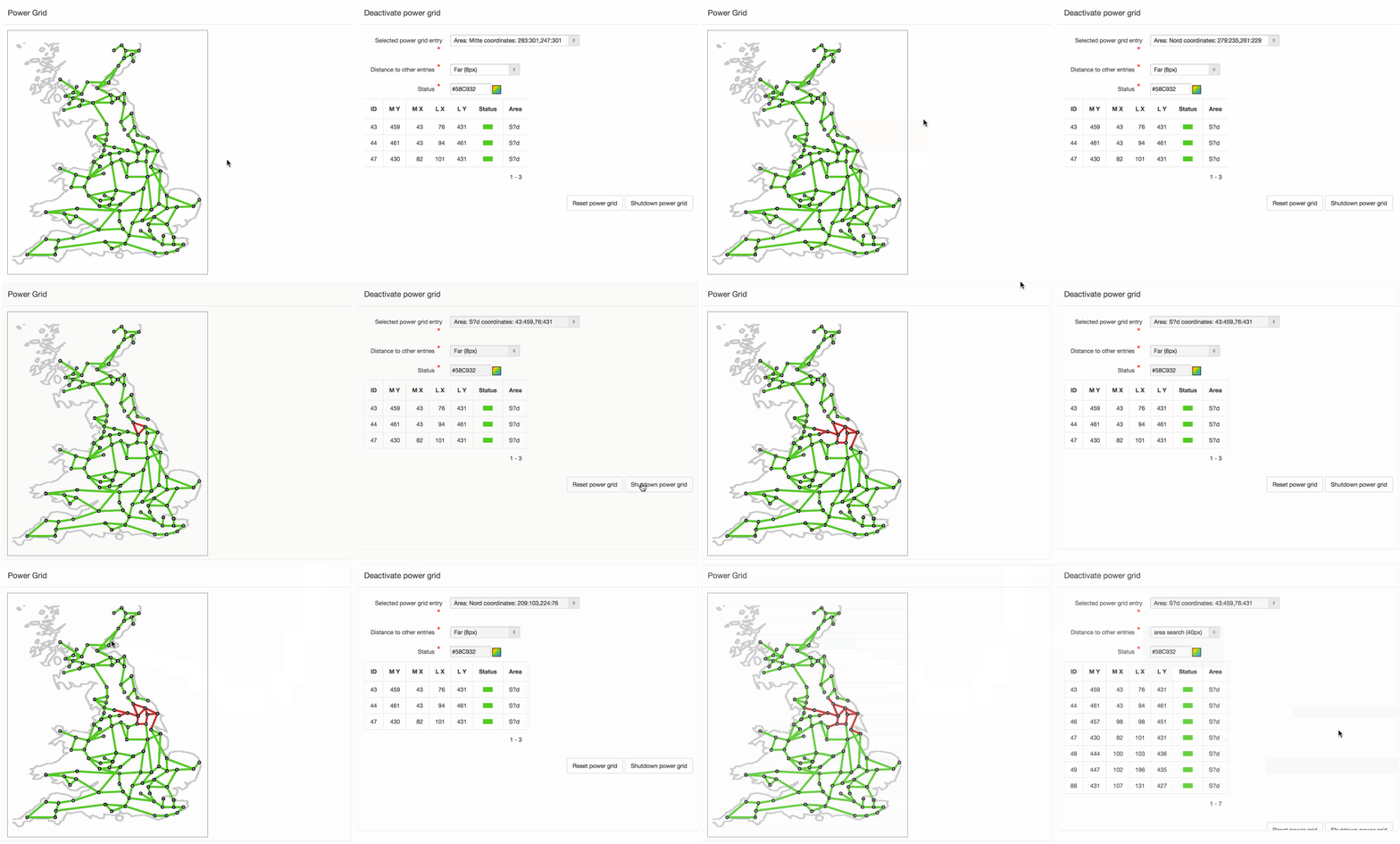
 1. Power grid (Great Britain including their main electricity pipelines)


2. Image tag editor


3. Harbor - Edit mask


4. Harbor - Drag and Drop


5. Mapael - Country visualization with edit mask


6. Mapael - Country visualization with canvas spark-line charts


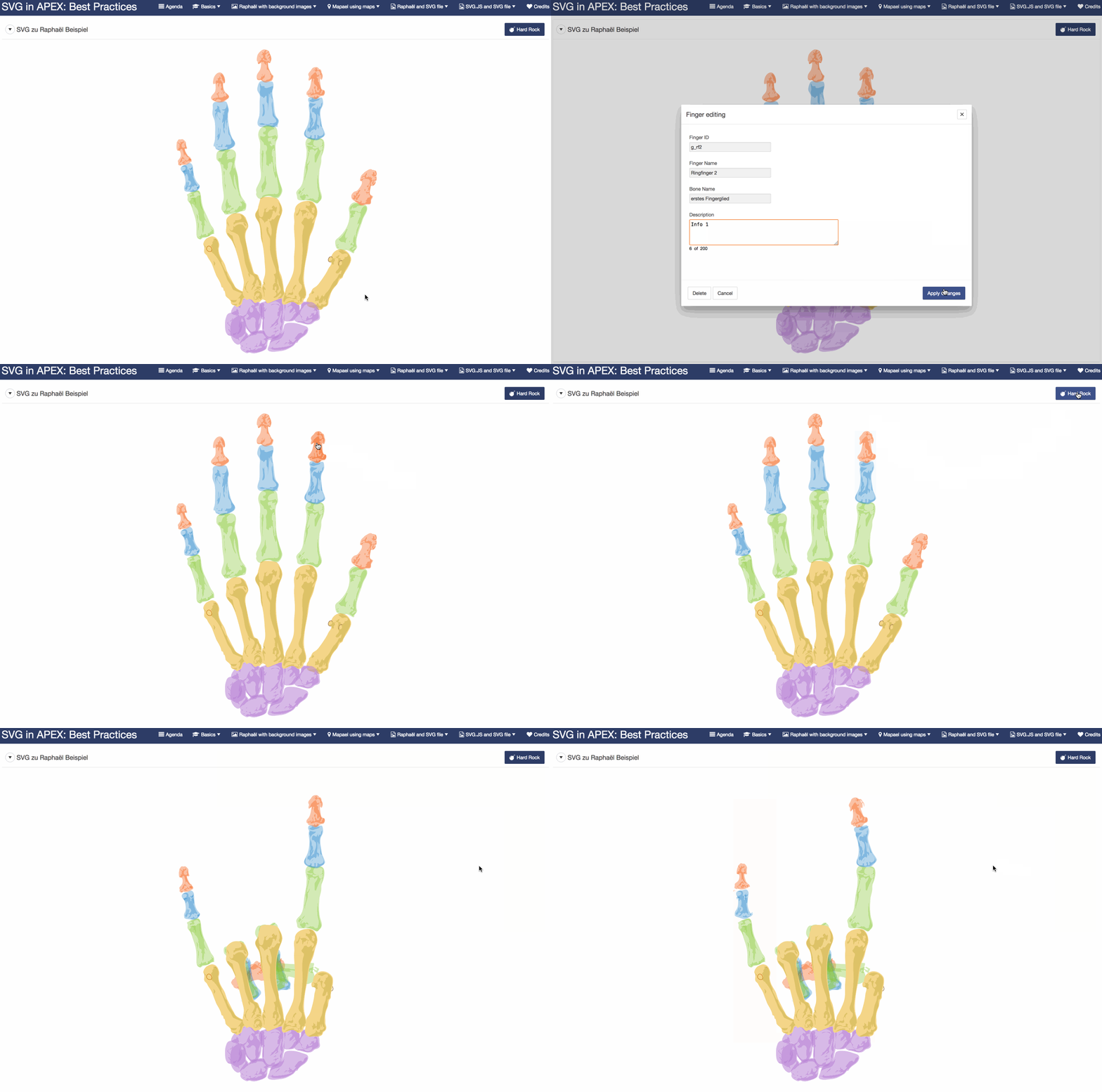
7. Raphaël - Transform, integrate and interact with external SVG file
The application includes several slides describing the way how to transform an SVG file towards Raphaël.


8. SVG.js - Integrate and interact with external SVG files

DOAG 2016 Review

Von Tobias Arnhold → 11.21.2016

Die diesjährige DOAG war für mich anders als die Jahre zuvor. Dieses Jahr lag mein Fokus weniger auf Vorträgen, sondern mehr auf Community-Aktivitäten und Jugendarbeit.
Daher habe ich diverse Unconference Sessions besucht und viele Unterhaltungen geführt. Dabei habe ich zum Beispiel erfahren, dass es eine neue Community innerhalb der DOAG gibt  -  die DOAG NextGen. Bei der es darum geht, junge Menschen für Oracle zu begeistern.


Da ich hier ein riesiges Potential sehe und Oracle IMHO ein wachsendes Alters-Problem mit seiner Zielgruppe hat, war ich sofort begeistert von der Idee und den Zielen. Jeder im Oracle-Umfeld sollte langsam erkennen, dass langfristig der Job eines jeden Oracle-Enthusiasten in Gefahr geraten kann. Nicht weil die Software schlecht ist, sondern weil der Nachwuchs fehlt und deshalb der Einsatz der Software risikobehaftet und teuer werden würde. Man kann jetzt sagen, dass ich einen zu negativen Ausblick darstelle, aber wer jetzt nicht bereit ist zu handeln, muss später möglicherweise den Preis dafür zahlen. Egal ob Oracle selbst, Consulting-Firmen, Freelancer oder begeisterte Oracle-User (DBAs & DEVs) innerhalb der Unternehmen.

In diesem Sinne wurde bei der Unconference Session "Young PL/SQL" den Oracle-Verantwortlichen mitgegeben, eine Datenbank für Studenten und Hochschulen anzubieten, um einen schnellen und unkomplizierten Zugriff auf Datenbanken zu erhalten.
Hier mal ein Beispiel: Ein Student muss mit Hilfe der Oracle Cloud und REST Data Services innerhalb von einem Tag in der Lage sein, mit einer mobilen Anwendung zu kommunizieren.
Das Ganze natürlich ganz Oracle untypisch kostenfrei. In Zeiten der Oracle Cloud ist das rein aus Marketing-Sicht wohl keine schlechte Idee.

Neben all der Nachwuchsarbeit war Oracle APEX natürlich mein Schwerpunkt. Hier hat mich ganz besonders gefreut, dass neben den Experten aus dem deutschsprachigen Raum auch Joel Kallmann und Marc Sewtz aus den USA da waren. Den Höhepunkt gab es dann auf der APEX Open Mic Night mit vielen Ideen und lustigen Aktionen rund um APEX:


Zu APEX 5.1 lässt sich sagen, dass eine Fertigstellung in diesem Jahr nicht völlig abwegig ist und das Interesse am neuen Grid extrem hoch ist. APEX 5.1 bietet damit noch mehr Gründe, veraltete Forms-Anwendungen abzulösen.

Zur Info: Im nächsten Jahr gibt es zum Thema Forms Migration spezielle Workshops im gesamten Bundesgebiet.

Was ich persönlich toll fand, war der Besuch von Mathias Magnusson von der schwedischen Oracle Usergroup (SWEOUG). Mit Ihm habe ich die Möglichkeiten eines APEX-Events in Schweden ausgelotet. Denn im Gegensatz zu Deutschland gibt es bei der Verbreitung in anderen europäischen Ländern noch deutliches Potenzial. Von daher ist die Idee APEX in anderen Ländern anzutriggern eine Aktivität, die ich auf jeden Fall unterstütze.
Als ich Mathias dem Joel vorstellen wollte, um ein mögliches Event näher zu besprechen, fand ich anstelle von Joel die Jungs und Mädels der polnischen Oracle Usergroup (POUG). Genau diese Leute haben eine fantastische erste Oracle-Konferenz in Warschau hingelegt, wodurch ich mir gesagt habe, da musst du nächstes Jahr dabei sein. Dieser Eindruck hat sich nach einem kurzen Kennenlernen bewahrheitet. Der Spirit und die Aufbruchstimmung wie diese kleine Gruppe sie verkörpert, sucht derzeit seines Gleichen. Ich kann nur hoffen, dass es bei ihrer nächsten Konferenz im September 2017 einen eigenen APEX Track gibt.

Joel haben wir dann im Übrigen noch auf der VIP-Party getroffen. Eine verdammt gute Party und die Chance auf ein APEX-Event in Schweden ist sehr groß.


Aber zurück nach Deutschland. Nach der Konferenz ist vor der Konferenz. Ich freue mich schon jetzt auf die APEX Connect 2017 in Berlin und wünsche allen einen entspanntes letztes Quartal. :)

DOAG 2016 und weitere APEX Events im November

Von Tobias Arnhold → 11.04.2016
Das größte deutschsprachige Oracle Event des Jahres steht vor der Tür.
Die DOAG Konferenz vom 15. bis zum 18.11.2016.

Wie schon in den letzten Jahren, bin ich auch dieses Jahr wieder mit dabei.
Mein Vortrag zum Thema "SVG in APEX" findet am Mittoch dem 16.11. um 13:00 Uhr statt.


Den Vortrag halte ich nicht allein. Sebastian Reinig (Syntegris) ein sehr talentierter junger APEX-Consultant hält den Vortrag mit mir Zusammen. Sebastian hat auf Grundlage meines RaphaelJS Vortrags aus dem Jahr 2014 eine technische Erweiterung geschrieben, die unbedingt auf der DOAG gezeigt werden muss. Der Vortrag richtet sich an alle Entwickler die aus Ihrer individuellen Geschäftsanwendung die User Experience (UX) auf ein neues Level heben wollen. In diesem Vortrag werden anhand realer Business-Cases die Möglichkeiten von SVG aufgezeigt. Wichtig war vor allem die Betrachtung aus Sicht Aufwand und Nutzen.

An dieser Stelle möchte ich auch gern auf den MT AG Vortrag zum Thema "Der APEX GENERATOR" verweisen. Der rein marketingtechnisch schon richtig was her macht! :)


Meine Partner von APEX-EXPERTS sind natürlich auch dabei. Markus Hohloch hält einen Vortrag zu Jasper Reports und Denes Kubicek zu Maps in APEX.

Ich persönlich freue mich auch auf die internationalen Gäste: Mathias Magnusson, Ilmar Kerm und Joel Kallman mit denen ich unbedingt ein APEX Event im Norden Europas besprechen muss.

Die APEX Open Mic Night findet wie gewohnt wieder am Mittwochabend statt, wo wieder spannende und lustige Kurzvorträge zu erwarten sind aus der Community.

Wusstet ihr, dass sich Studenten ebenfalls noch bei der diesjährigen DOAG bewerben können?

Nach der DOAG ist vor dem APEX Meetup Frankfurt.
Dieses findet das nächste Mal bei der DB Systel im Silberturm statt.
Nur mal so: Die DB Systel hat ein fast 20 köpfiges APEX Team rund um kleine und mittelgroße Projekte.

Jeder ist willkommen und ich halte auch einen Vortrag der als Diskussionsgrundlage zum Thema "Dashboards" dienen soll.

Auch mal wichtig zu erwähnen: Moritz (MT AG) und Sabine (its-people) organisieren dieses tolle lokale Event immer und immer wieder.


Und zu guter Letzt noch ein mal der Hinweis auf den APEX 5 Best Practices Kurs von Denes und Dietmar vom 21-23.11.2016. Ein Kurs den ein jeder APEX Neuling besucht haben sollte.


Wir sehen uns auf der DOAG und hoffentlich auch in meinem Vortrag...


Creating interactive graphics in APEX with Raphaël (RaphaelJS)

Von Tobias Arnhold → 9.21.2016
Some of you may know of my personal interest for SVG interaction in APEX applications. I have been working with a JavaScript library called "Raphaël" (RaphaelJS, raphael.js or just raphael) for a while now. It is an amazing plugin to create all kind of customized business solutions. But before I show you how I have used Raphaël I tell you how I came to the technology and what happened in the last few years.


5 years ago an APEX developer called "Matt Nolan" created an impressive example how you can use Raphaël for a custom business case: SVG Body Chart Plugin
 

Inspired by his example I started looking for this library called Raphaël.

What does the library do?
It creates dynamic SVG graphics with Javascript and JSON.

Why is it so special?
From an APEX developer point of view it gives you great possibilities to create SVG graphics right from the data out of your database and Raphaël itself brings you several ways to create more or less complex solutions. Just go on reading and you will find out.

How to integrate Raphaël?
Upload the JavaScript file and include it in your APEX page.
/* Implementation: Page > JavaScript > File URLs */
#APP_IMAGES#raphael-min.js
Add a new APEX region from type "Static Content" and add a DIV element:
<div id="svg_example1"></div>
Finally add the Raphaël-JavaScript code below the DIV region:
<script>
  document.addEventListener("DOMContentLoaded", function(){ 
    /* Set up raphael svg area and save it in variable rc (raphael container)*/
    var rc = new Raphael(document.getElementById('svg_example1'), 200, 180);
    
    /* add new svg element */
    var el = rc.path("M 170 120 l 0 -50 l -50 0 l 0 -50 l -50 0 l 0 50 l -50 0 l 0 50 z");
 
    /* Add attributes to element */
    el.attr(
        {
            fill: '#F2621B',
            stroke: '#2F3E66',
            'stroke-width': 10,
            'stroke-linejoin': 'round',
            rotation: -90
        }
    );
 }, false);
</script>

Result:


Who made this library?
The developer behind Raphaël is Dmitry Baranovskiy. Compared to the APEX community he is the Patrick Wolf for SVG solutions using JavaScript. At least in my mind. :)
After the success of Raphaël he joined Adobe. There he created an library called Snap which is quite similar to Raphael and real powerful. Unfortunately it seems that the Snap library is not further developed anymore. The last release is from 2 years ago.

Support?
The last Raphael release is from July 2016. Having questions use "Stack Overflow".

Why not creating the same kind of solution as Matt did?
It took me a while before I had the time thinking about the possibilities and purpose in business applications. I mean not every developer can create an example as Matt did. So I had some reasons to consider about:

1. No sources available
The typical company does not have SVG graphics to visualize their custom business situations. Mostly they use some advanced Excel files including some graphical parts to visualize their business cases. So if you create an APEX application based on those Excel solutions, the customers want their "beautiful" visualization in the APEX application as well.
For example an "workshop plan".

2. Complexity
It is really complicated to create a SVG graphic for the typical APEX developer.
Interacting with SVG graphics is also not the typical activity for an APEX developer.
Moving an SVG to the database to build it with Raphael is not easy either.
You may have to use Raphaël with other JavaScript libraries to enhance the user experience.

3. Time and Money
The more complex the example the more times it takes creating a result and it will become more expensive in the first run and on future updates.

4. Maintenance
Could a decent APEX developer take my solution and extend it? This is an important question to me.

What did I do?
2 Years ago I created an example application for the DOAG 2014.
There I published several examples how you can use Raphaël on top of an existing image file. I only created a few moving SVG components to interact with the application user.

Advantages:
- It is really easy to integrate.
- You do not need an SVG out of your Excel file to publish it in APEX.
- Less code because of the static background image

Disadvantage
- The image can't be responsive
- It can never be as beautiful as the example from Matt

The solutions looked like this:

Harbor example (Source: marinafuehrer.adac.de)


Bridge example (Source: dresden.de)  
Power grid example (Source: Dirk Witthaut, MPI für Dynamik und Selbstorganisation, ds.mpg.de)


The image, the data and the Raphael code comes directly from inside the database. Published with a PL/SQL procedure:
procedure generate_harbor (in_image_id number)
is
  v_image_filename           varchar2(100);
  v_image_name                varchar2(100);
  v_image_width              number;
  v_image_height               number;
  
  v_background_color varchar2(100);
begin
  s_proc_name := 'RJS_DEMO.GENERATE_HARBOR';
  s_parameter := 'in_image_id: ' || to_char(in_image_id);
  
  s_action := 'Image selection';
  select image_filename, image_name, image_width, image_height
  into   v_image_filename,v_image_name, 
         v_image_width, v_image_height
  from   rjs_image
  where  id = in_image_id;
  
  s_action := 'HTML generation';
  htp.p('
   <style>
    #wrapper {
        position: relative;
        width: ' || v_image_width || 'px;
        height: ' || v_image_height || 'px;
        padding: 0;
        outline: 1px solid #999;
    }
    #wrapper img {
        position: absolute;
        top: 0;
        left: 0;
    }
    #canvas{
        position: absolute;
        top: 0;
        left: 0;
    }
   </style>
   <div id="wrapper">
    <img src="' || v('WORKSPACE_IMAGES') || v_image_filename ||'">
    <div id="canvas">
    </div>
   </div>
   ');
   

  s_action := 'JS open';
  htp.p('
   <script>
    document.addEventListener("DOMContentLoaded", function(){ 
      var canvas = Raphael(document.getElementById("canvas"), ' || v_image_width || ', ' || v_image_height || ');
  ');

  s_action := 'JS data loop';
  for rec_k in (
         select rownum, image_id, coordinate_id, 
                result_type, text, c_x, c_y, c_t, c_x_text, c_y_text
         from vw_rjs_harbor
         where image_id = in_image_id
  ) loop
    
      s_action := 'txt'||rec_k.rownum || ' generation.';
      htp.p ('
        var txt'||rec_k.rownum||' = canvas.text('||(rec_k.c_x_text)||', '||(rec_k.c_y_text)||', "'||rec_k.text||'");
        txt'||rec_k.rownum||'.attr({ "font-size": '||'"9"'||','
                                   || ' "font-family": "Arial, Helvetica, sans-serif",'
                                   || ' "fill": "black",'
                                   || ' transform:"r-'||rec_k.c_t||'"});  
        var box'||rec_k.rownum||' = txt'||rec_k.rownum||'.getBBox();
        var img'||rec_k.rownum||' = canvas.image("'|| v('WORKSPACE_IMAGES')||rec_k.result_type||'.png", '
                                                   || rec_k.c_x||', '||rec_k.c_y||', '||'26'||', '||'19'||')'
                                                   || '.attr({transform:"r-'||rec_k.c_t||'"}).glow({width:1,opacity:0.8});
        txt'||rec_k.rownum||'.toFront();
        ');   

  end loop;
  
  s_action := 'JS close';
  htp.p('
    }, false);
   </script>
  ');

exception
when others then   
      rollback; s_ora_error := sqlerrm;
      s_custom_error := 'Internal error occured. Processing stopped.';
      add_err; commit;raise_application_error(-20001, s_custom_error);
end;
APEX itself needs a region from type: "PL/SQL Dynamic Content"
The source is simple:
RJS_DEMO.GENERATE_HARBOR (:P11_IMAGE_ID);
The result looked like this:
 

From my point of view:
You get a new way publishing data in a decent amount of time and low complexity in the source code.


This was two years ago.

On this years DOAG 2016 I will tell you how you can achieve even more powerful examples.
Using the Raphael extension Mapael for custom map visualizations or how to create an own SVG and convert it real fast towards APEX. And maybe there will come some more...


See you at DOAG.

And for all who will miss the DOAG event.  I plan to publish an open source version of the application. So check apex.world at the end of the year. Maybe 24. of December will be a good date. :)

Interactive Report with a Font Awesome edit icon

Von Tobias Arnhold → 7.01.2016
Most of you know the default APEX edit icons you can choose from inside your Interactive Report.
Basically you use them to link to a detail page.


The icon source looks like this.


A typical result page.


Two things I would like to change:
 1. The Icon should be a nice looking car symbol from the Font Awesome library.
 2. The column width should be as small as the icon and not relative to the page width.

We change the pencil.png towards the nice looking automobile icon from Font Awesome.
Code:  
<span class="fa fa-automobile"></span> 
 

Then we add a little CSS snippet to the page inline CSS.
Code:
.minimize-first-table-col td:first-child{
  width: 1%;
  overflow: visible;
  font-size:120%;
  padding: 8px;
}


And as a last step we add the class minimize-first-table-col inside the Interactive Report > Appearance > CSS Classes.


The result will looks like this.